Commodore 64 Programming Languages and Operating Systems
(last updated 2025-06-02)
NOTICE: This is an unofficial mirror of the Lyonlabs website. A brief explaination can be found here. All original Lyonlabs content was created by Glenn Holmer.
I'm a long-time collector of programming
languages and operating systems for the
Commodore 64; this page lists some of the more interesting items
in my collection. It's not meant to be an exhaustive survey of what's
out there (for programming languages, we have Dan
Fandrich's Commodore Languages List). I'm
also not interested in cross-development tools, because real men
code on their Commodore 64s! Most of the items on this page
include links to disk images and/or documentation, but some haven't
been imaged yet. If there's something you're interested in that I
haven't provided an image for, you can email me
(cenbe at protonmail dot com).
A few of these items have been broken out
into their own pages:
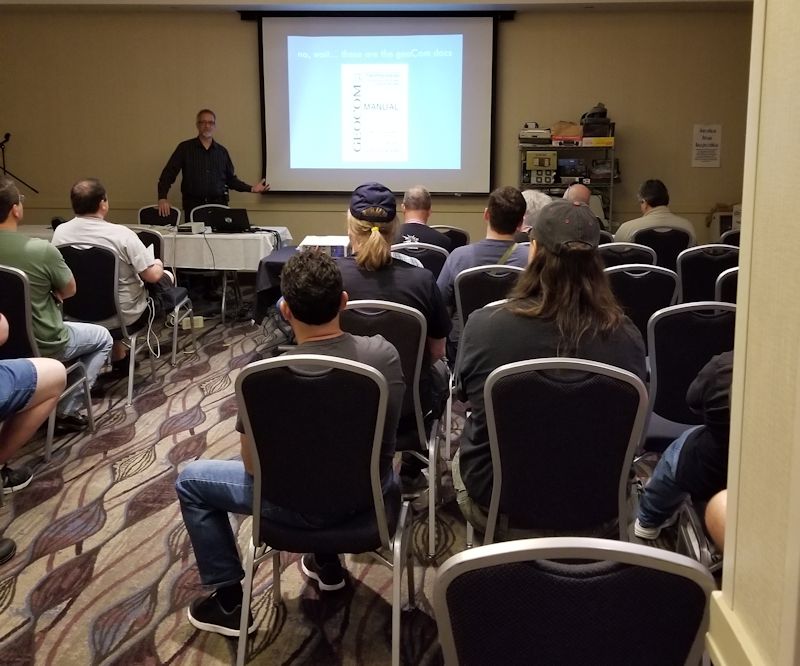
I've given a number of talks on
Commodore 64 programming languages and operating systems at various
retro shows; you can find slides, code examples, and videos at the
link.
Bring me compilers, that I may feed upon them and grow strong!
These are some of the more interesting languages in my
collection. For the most complete listing of programming languages for
the Commodore 64 (and related machines), see Dan
Fandrich's Commodore Languages List.
As far as I know, I have all the major Abacus compilers
(just search on "Abacus").
Some of the images here are ZipCode six-packed because they are
lightly copy-protected; the advantage of ZipCode is that you don't
need a modified drive to write the disk from the image. You can find a
copy of ZipCode here. When
extracting six-packs, after the first three files have been read,
you'll get a 62 error (file not found); insert the disk with the
second three files and hit Return. For the files on this page, the
encoded filename is the D64 name without the "-123.d64" or "-456.d64"
suffix.
There are also some images in G64 format. This requires either an
emulator or the proper hardware to write such an image back to
diskette (e.g. ZoomFloppy with nibtools).
Many of the manuals here were scanned by the indomitable
DLH. His site is the
best resource for Commodore manuals.
Note: geoBasic was an unfinished project from Berkeley
Softworks, released by RUN magazine. It has enough bugs
(serious enough to corrupt your project as you're editing it)
to make it unusable. However, if you're a language geek and
are interested in reverse-engineering and debugging it, you
would surely be rewarded in the afterlife. Here's
a text file by George Wells
listing known bugs and possible workarounds; it also includes
an extensive errata list for the manual.
Abacus Super C:
D64 image /
manual
This is version 2.03, which is the latest version for the '64
according to
this page.
Power C (see separate
page) with many enhancements downloaded from Q-Link back
in the day
LIMP (LISP Interpreter written in ML and
Promal): D64 image (with docs)
Note: this
is the standalone version, which contains the
infamous TED editor (written "in the
TECO/SPEED tradition"); there's also
a version that can be run from
within PROMAL.
Lisp 64: ZIP file with D64, German
manual, and a complete disassembly of the interpreter.
This comes from Roman in Germany,
who reconstructed the manual using TeX.
ZOOM Pascal is licensed from KMMM Pascal, as
noted in their manual: "ZOOM Pascal is a subset of KMMM
Pascal. It came into being when Abacus Software agreed to take
level III of KMMM Pascal, rewrite the instruction manual, leave
out the Editor/Compiler and distribute the resulting package as
ZOOM Pascal." The version of KMMM Pascal below is level IV
version 6E.
see also 2011
article
(archived copy)
with source,
2012
comp.sys.cbm post
with cc65-compatible
source (cc65 source provided by Chris
Baird, original web site no longer available)
Yes folks,
it's Core War
for the Commodore 64! You'll want to turn off JiffyDOS to run
this one. In addition to the disk image, I've included the
contains online docs, which I extracted from memory after the
program decompressed itself, then converted to ASCII.
ACE is a UNIX-like operating system for the Commodore 64 and
128. It is distributed as six SFX (self-extracting) files; the
first three contain the operating system and the second three
contain documentation files (which are available as HTML on
Craig's
site). You can make your own copy of ACE by LOADing and
RUNning the SFX files; here they are on D64 images (three on a
side):
side A (first three SFX files)
side B (second three SFX files)
The whole thing won't fit on a D64, so here is
a D81 image with all six SFX files
extracted to it.
If you do a manual copy to a 1541 disk, you can get a bootable
copy of ACE. This D64 image was copied
from a 1581 without the '128 binary or the docs (including the
first few documentation files that are in the third SFX). It just
barely fits (26 blocks free). Make sure to start it
with LOAD":*",8 and not ,8,1 before
typing RUN. You can get an 80-column screen with the
command eighty.
Here's a tarball of the documentation
files as text if you'd like to read them on your PC.
To start, enter this command:
disk ?boot ; sh < boot
For a brief introduction, enter this:
disk ?starter ; page starter
UPDATE: Chris
saw the video of my GeckOS presentation at VCFMW, and noticing that
I mentioned Asterix and was looking for the source code, sent it to
me. Here's
the tarball!
Chris says: "Asterix came about after a discussion with a friend
that one of the core features of Unix-like operating systems was a
reentrant shell, so I had a go at realizing it by making something
that had a boot script. Unfortunately, University studies & exams
got in the way of making Asterix a self-hosting assembler
environment." There's a lot more information in the tarball,
including some correspondence of his during the development of
Asterix.
CP/M
(Commodore Business
Machines) D64 image of
CP/M 2.2 (requires CP/M cartridge) manual
LOAD":*",8 and RUN to start. F3
brings up a second console with a system prompt; you can type
l sh to get a shell, and ctrl-D to exit back
to the system prompt. F1 to return to the first console
(shift-Commodore also works to switch
consoles). Type cat .lunixrc ! more
to see examples of how to load modules at the system prompt. Type
e.g. help ls for help on commands.
WiNGs (Jolse Maginnis)
Requires SuperCPU, SuperRAM. Here's a screen capture of
WiNGs playing a video!